




 EN
EN
 TH
TH
 IN
IN
 VN
VN

The main features that have been enhanced in the upcoming CADmeister 2024 are as follows.
Automation and Efficiency
Enhancement of curved surface processing function We have strengthened the machining data creation function to realize high-speed, high-quality, and high-efficiency processing of
mold product shapes.
Passes that keep the pitch constant along the surface and passes with uniform path spacing make it possible to process the cusp height of the machined surface uniformly.
This reduces finishing operations and improves work efficiency.
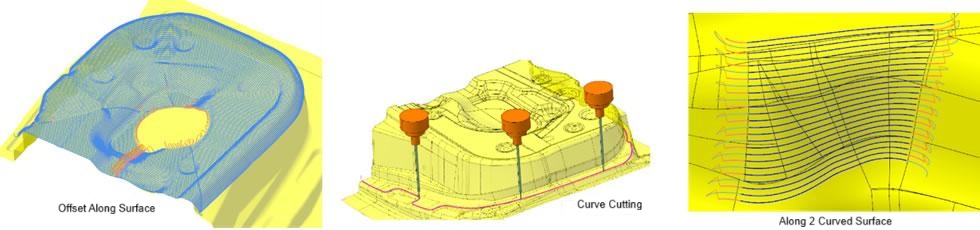
Machining paths that achieve high-speed, high-quality, and high-efficiency machining
Automation of electrode processing data creation We have automated the creation of processing data for electrode models required for
mold manufacturing.
Simply instruct the electrode model file and machining template to automatically generate NC data and machining instructions without tool interference.
The calculation of machining data takes place in the background, and other tasks can be performed during calculations, which contributes to a significant reduction in man-hours and work errors.
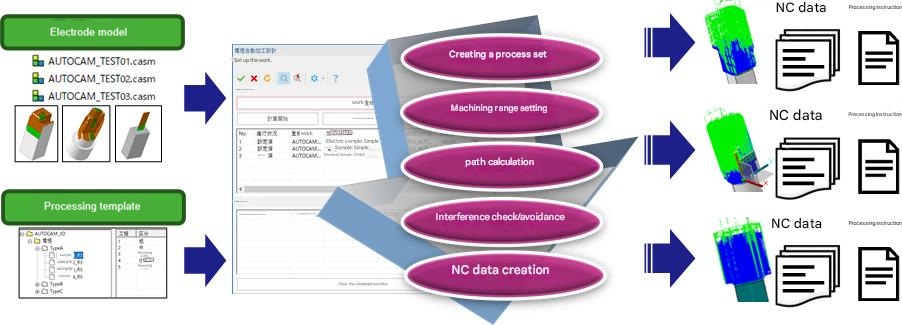
Electrode processing data creation automation
On-machine measurement enhancements Manual measurement by operating the
handle of the processing machine allows macro output of coordinate values to a text file.
There is no need to write notes on the measured coordinate values, and the measurement work time can be shortened.
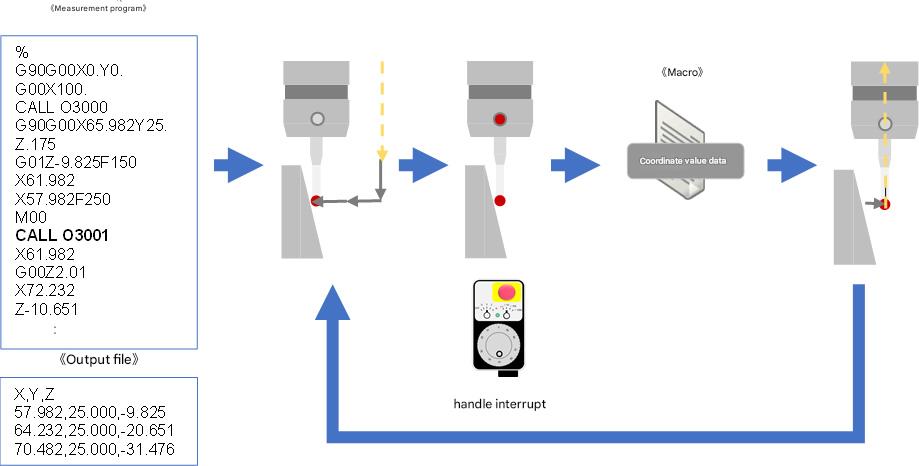
Coordinate Macro Output for Manual Measurement
Initial Quality Improvement
Enhancement of formability study function (resin mold)
The accuracy of thick-walled part detection has been improved.
In addition, the filtering settings provide an exemption from inspection indication, hidden microsurface detection results, and balloon display of measured values to improve visibility and make it easier to identify problem areas.
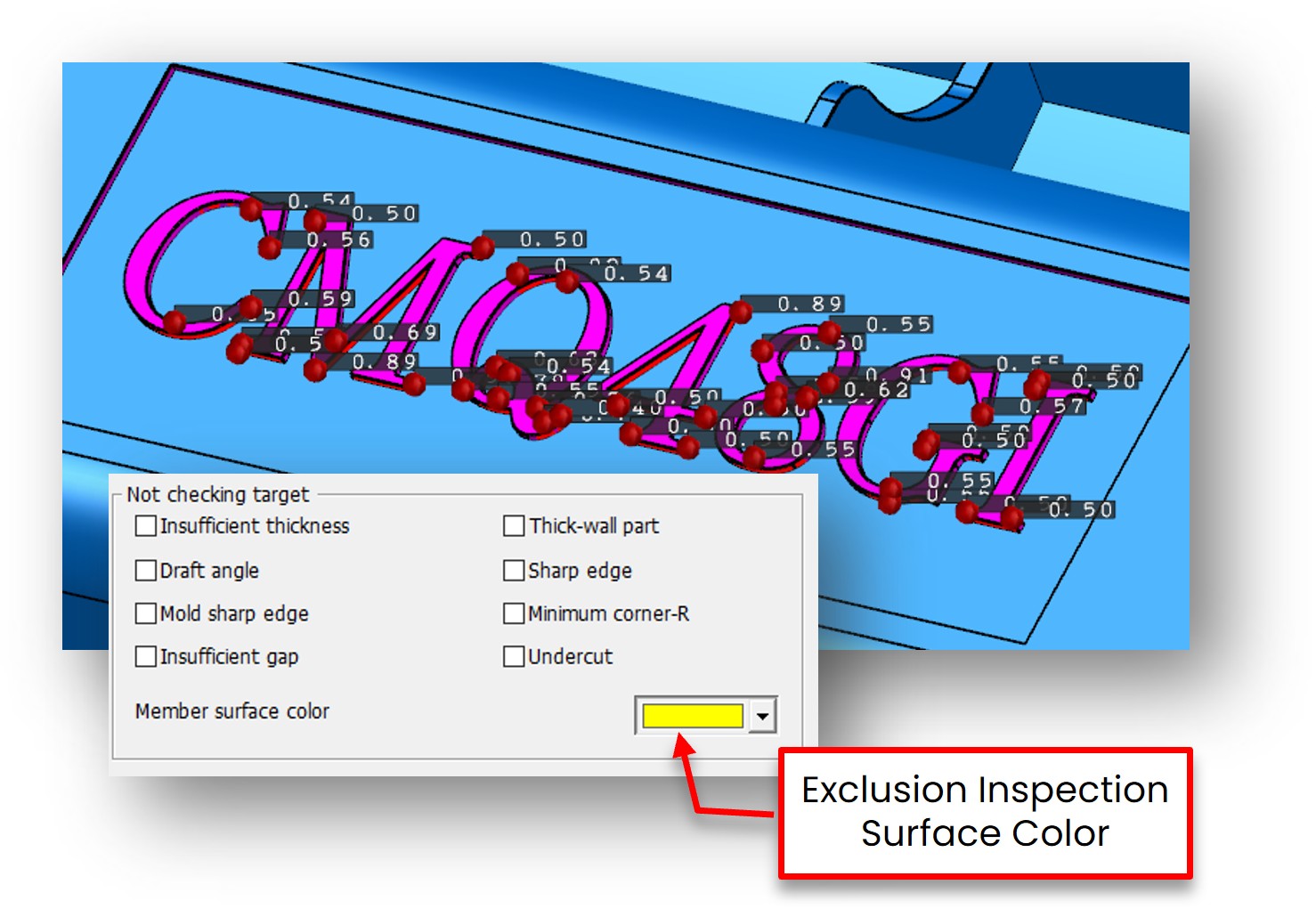
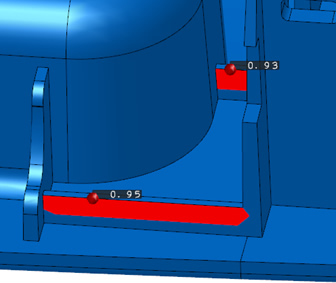
Filtering settings for inspection exclusion surfaces Balloon display of measured values
Press nesting function enhancement (press die)
In addition to the addition of "180 degrees", "mirror", and "multiple" placement methods, it is now possible to nest models with holes.
It allows for more efficient and flexible placement than before, minimizing material waste and maximizing resource efficiency.
It achieves high-precision nesting in a short time and greatly reduces the number of man-hours.
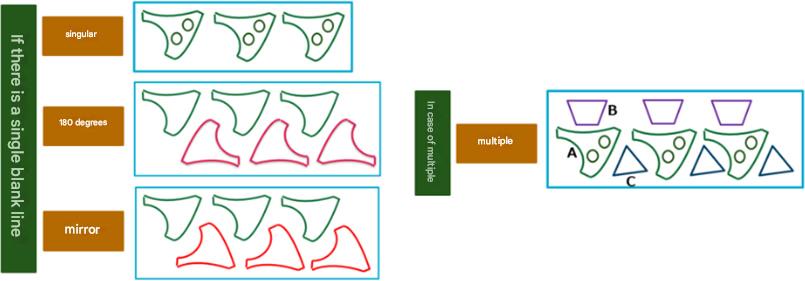
Pressnesting
Automation of 3D Inspection Using Excel Linkage (Resin Molds and Stamping Molds)
Automation of Inspection Inspection has been realized by linking Excel format forms such as bills of materials and checklists with the 3D inspection function.
Demonstrated efficiency improvement of more than 90% compared to conventional inspection.
In addition, the steel size can be automatically measured from the 3D type data and automatically compared with the ordered size listed in the bill of materials.
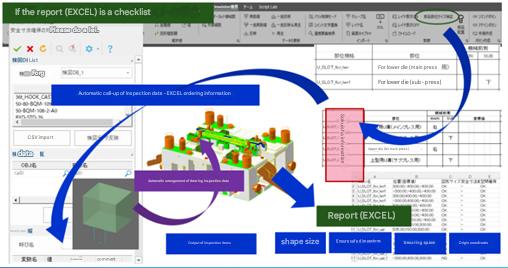
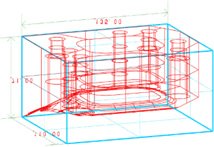
Mechanism of automatic inspection Steel size confirmation
3D Utilization
Stair Section View Feature You can now create a stair section view with
the PMI View Create command.
This makes it easier to transmit information in 3D data and accelerates the distribution of 3D data to subsequent processes.
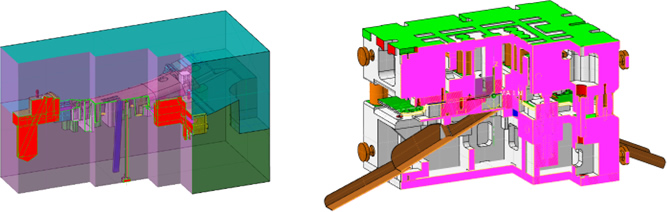
Stair Section View and Communication of Display Information (PMI View)
Intuitive operation and improved workability
Intuitive input operation and ease of use were pursued.
It reduces the man-hours of trial and error for customers and allows them to reflect design requirements in geometry more quickly.
Element trajectory input Elements on the 3D model can now be selected using the trajectory traced with
the mouse, making it easier to enter complex parts.
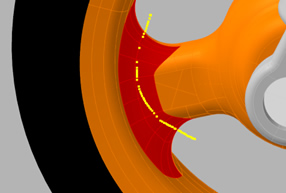
Mouse trajectory (yellow line) and selected elements
Powered by Froala Editor
Powered by Froala Editor
Powered by Froala Editor